Are you captivated by the world of digital creation? Perhaps you’ve spent countless hours dreaming of crafting immersive experiences or practical tools that resonate with users. The field of game development, and indeed, broader app creation, is a fascinating journey that transforms abstract ideas into tangible digital realities. Learning or practicing game creation at home is not just a valuable skill but an inspiring endeavor, fostering creativity and problem-solving. For many, the initial spark is to build something amazing, but the ultimate goal often evolves to understand how to effectively monetize application, turning passion into a sustainable venture. This guide focuses on the foundational steps of development, laying the groundwork for eventual profitability, even if your immediate focus is game development for beginners.
Materials & Supplies
Embarking on your development journey requires a few essential tools. At its core, you’ll need a reliable computer (desktop or laptop) with decent processing power and RAM. For game engines, Unity and Unreal Engine are industry standards, both offering free versions for beginners. A code editor like Visual Studio Code or Sublime Text is crucial for writing scripts. For visual assets, graphics software such as GIMP (free) or Adobe Photoshop/Illustrator (paid) will be invaluable, while 3D modeling software like Blender (free) can bring your characters and environments to life. Don’t forget audio tools like Audacity (free) for sound effects and music. As a developer, a comfortable setup can make all the difference; consider enhancing your workspace with tools like a Programing Mouse Pad for Visual Studio or a Visual Studio Code Shortcuts Mouse Pad for improved efficiency.
Timing / Development Schedule
Creating a game or any substantial application takes time, ranging from a few weeks for a simple prototype to years for a complex title. A typical schedule begins with 1-2 weeks of concept and design prep, where you define your idea, features, and art style. The coding phase is often the longest, taking anywhere from a month to several months for a beginner-level game. This is followed by testing and debugging, crucial for polishing your creation, which can take 20-30% of your total development time. Finally, publishing and release preparation involves platform integration and marketing. Planning realistic milestones helps maintain motivation and ensures your project progresses steadily. Remember, building a quality product is the first step before you can truly learn how to monetize application effectively.
Step-by-Step Instructions
To start developing a simple game:
- Define your core idea: Keep it small! A single mechanic game (e.g., a simple platformer or puzzle game) is ideal for learning.
- Choose your engine: Pick Unity or Godot for 2D, or Unreal for 3D.
- Learn the basics: Follow beginner tutorials for your chosen engine. Focus on movement, interaction, and basic UI.
- Create placeholder assets: Use simple shapes or free assets initially to get your game playable.
- Code core mechanics: Write scripts for player control, enemy AI (if any), and win/lose conditions.
- Iterate and test: Play your game constantly. Fix bugs. Get feedback from friends.
- Refine visuals and audio: Replace placeholders with improved art and sound.
- Build and share: Export your game and let others play it. This feedback loop is invaluable.
Advantages of Learning Game Development
Beyond the sheer joy of creation, learning game development offers a wealth of benefits. It hones your creativity by forcing you to invent worlds and challenges. It sharpens problem-solving and logical thinking as you debug code and optimize performance. If you collaborate, it fosters teamwork and communication skills. Furthermore, the demand for skilled developers means abundant career opportunities in various tech sectors, not just games. Building games at home significantly improves both technical aptitude and artistic expression, providing a unique blend of analytical and imaginative skill sets.
Tips, Alternative Methods, or Development Advice
For beginners, starting with 2D games is often less complex than diving directly into 3D. Consider visual scripting tools like Unity’s Bolt or Godot’s visual scripting if coding feels daunting initially – they’re great for understanding logic. For those with limited hardware, explore browser-based engines or lightweight options. Collaborate with friends online to share tasks and motivate each other. Optimize your learning by diligently following online tutorials (e.g., Unity Learn, Unreal Online Learning) and actively participating in coding communities like Reddit’s r/gamedev. The more you learn to build, the better equipped you’ll be to think about how to monetize application later on.
Common Mistakes to Avoid
- Overcomplicating the first project: Start small, finish it, then scale up.
- Neglecting testing: Test frequently and thoroughly. Bugs can ruin the player experience.
- Ignoring player feedback: Listen to what people say, but prioritize actionable insights.
- Feature creep: Adding too many features midway can derail your project. Stick to your initial scope.
- Poor version control: Use Git or a similar system to track changes and prevent losing work.
- Not planning for monetization: While you build, consider your app’s potential for revenue.
Maintenance / Update Tips
After release, a game or app isn’t truly “done.” Version control remains critical for updates. Prioritize bug fixes based on player reports. Plan for adding new content (levels, characters, features) to keep players engaged and potentially introduce new monetization avenues. Regularly collect player feedback through surveys or community channels to inform future updates. Always back up your project regularly to prevent data loss. Consistent maintenance ensures longevity and can improve the long-term potential to monetize application successfully.
Conclusion
Learning game development at home is an incredibly rewarding journey that cultivates a diverse skill set, from technical coding to creative design. Remember to start with small, manageable projects, consistently practice, and actively seek feedback. Don’t be afraid to share your creations with others – the developer community is supportive and encouraging. As you hone your craft, you’ll naturally begin to explore the myriad ways to leverage your skills and effectively monetize application, turning your innovative ideas into profit. Ready to dive deeper? Explore more tutorials or connect with a developer community today!
FAQs
What programming language should I start with?
For Unity, C# is standard. For Unreal Engine, C++ or its visual scripting tool, Blueprints. Python is also great for general programming logic and many game development tools.
Which game engine is best for beginners?
Unity and Godot are highly recommended for beginners due to their extensive documentation, large communities, and ability to create both 2D and 3D games.
How long does it take to make a small game?
A very simple game (e.g., Flappy Bird clone, basic platformer) can be made in a few weeks to a couple of months by a beginner.
Do I need to know coding to start?
While coding is essential for advanced game development, many engines offer visual scripting tools (like Unreal Blueprints or Godot’s visual script) that allow you to build game logic without writing traditional code, making it accessible for non-programmers.
Where can I publish my first game?
For PC games, itch.io is popular for indie developers. Mobile games can go on the Google Play Store or Apple App Store. Steam is an option for more polished PC games.

Panvola
Panvola Debugging Definition Computer Programmer Gifts Student Teacher Coder Boyfriend Girlfriend IT Vacuum Insulated Tumbler Tech Support Travel Mug Stainless Steel With Straw Removable Lid (30 oz)
Ultimate Mobile Controls – Plug & Play
Take your mobile game to the next level with this ready-to-use Mobile Controls Pack. customizable mobile controls without wasting days on UI and input setup. Perfect for 2D, 3D, FPS, RPG, Platformer, Shooter, and Casual mobile games.
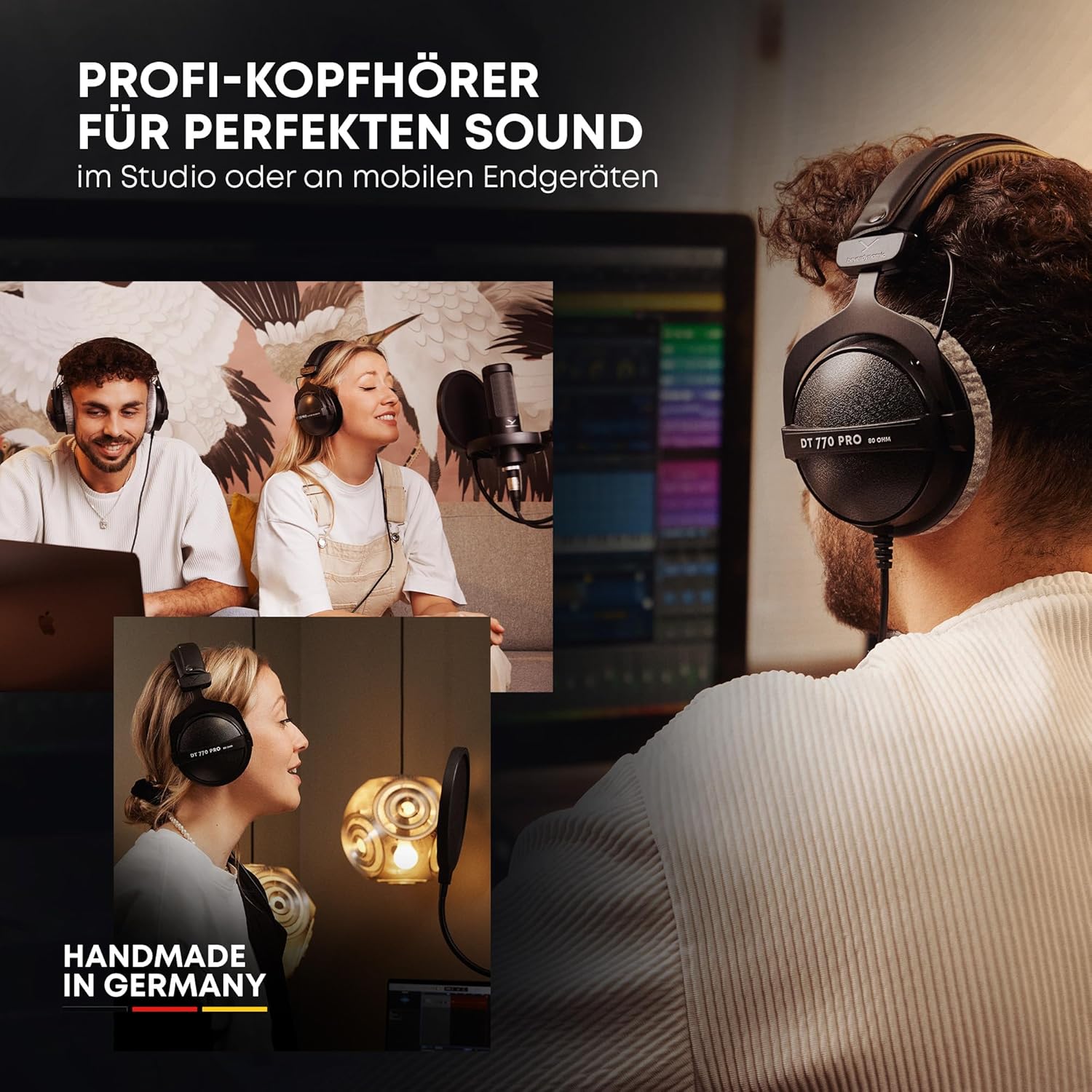
beyerdynamic DT 770 PRO 80 Ohm Over-Ear Studio Headphones in Gray
beyerdynamic DT 770 PRO 80 Ohm Over-Ear Studio Headphones in Gray. Enclosed Design, Wired for Professional Recording and Monitoring

Sound Healing 432 Hz
song transports the listener to a relaxed state of mindfulness and inner peace.

NUBWO U3 Gaming Headset
NUBWO U3 Gaming Headset with Microphone, Safe Volume Limited, Kids Headphones for Switch, Super Lightweight, Rich Sound, 3.5mm Jack for NS, PS4, PS5, Xbox, Tablet, iPad Computer, Red

KOORUI
KOORUI 24.5 Inch Gaming Monitor 200Hz, 1ms, FHD(1920 * 1080p) IPS Display, HDR400, 90% DCI-P3 Color Gamut with Adaptive Sync, HDMI & DP Port, Black, G2511P