
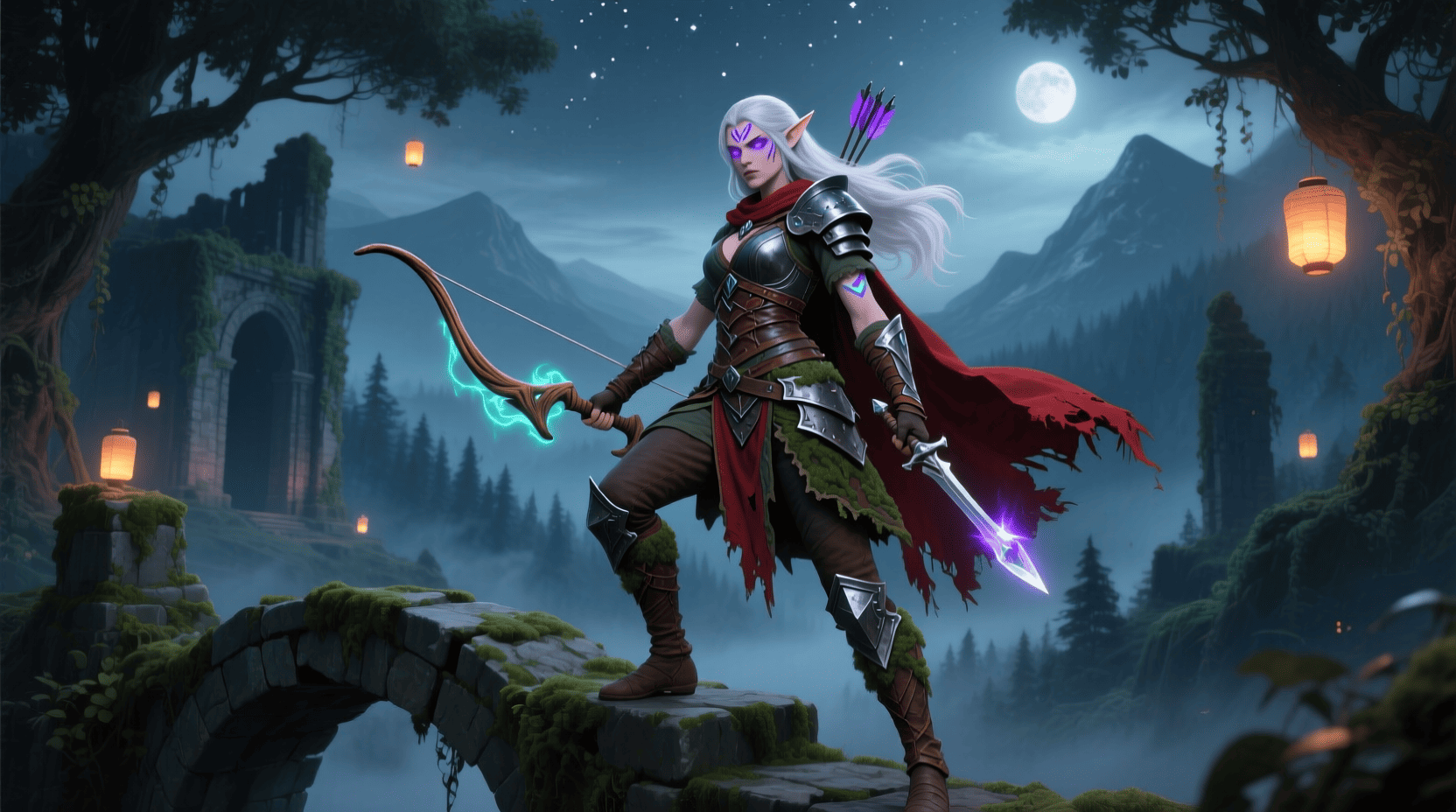
Introduction
Are you fascinated by how your favorite game characters come to life? With the evolution of technology, game creation is no longer limited to huge studios; aspiring developers can now dive into game development for beginners right from their homes. Among the revolutionary advances transforming this landscape is AI game character creation, which is reshaping how characters are designed, animated, and brought to playable life. Integrating AI-enhanced processes allows creators to speed up development while enriching character complexity and realism, inspiring countless enthusiasts to master game development in an accessible, rewarding way.
Materials & Supplies
Before jumping into AI game character creation, gathering essential resources is crucial. You’ll need a capable computer with a decent graphics card, plus game development software that supports AI plugins or AI assisted workflows. Programs such as Unreal Engine 5, paired with plugins like RevoltGPT for Unreal Engine 5, empower developers to inject AI-driven intelligence into characters, improving NPC behavior and narrative complexity. Additionally, exploring AI tools for game developers can introduce you to powerful frameworks for automatic rigging, procedural animation, and smart customization.
Timing / Development Schedule
Creating a game character using AI techniques can drastically reduce traditional lead times, but it still requires a well planned schedule. Beginners should allocate around 2–4 weeks to conceptualize, design, and implement AI-driven character features, depending on complexity. Week 1 focuses on concept art and personality profiling. Week 2 involves importing base models and layering AI-powered rigging and facial animations. From Week 3 onward, you refine AI-controlled behavior patterns and integrate the character into gameplay scenarios using AI game design tools. Iterative testing ensures the character both looks and performs believably in the game world.
Step-by-Step Instructions
- Define Character Profile: Start with backstory, personality traits, and key abilities. AI narrative generators can assist in fleshing out rich, engaging backgrounds.
- Create Base Model: Use 3D modeling software like Blender or Maya for a rudimentary character structure.
- Apply AI Rigging & Animation: Utilize AI tools for game developers to automatically rig the model, adding skeletal frameworks and natural movement patterns.
- Develop AI Behavior: Integrate AI logic using plugins such as RevoltGPT for Unreal Engine 5 to script responses and decision-making processes.
- Test & Optimize: Run the character in different game environments, refine animations and AI triggers, and ensure gameplay responsiveness.
Advantages of Learning Game Development
Mastering AI game character creation offers numerous benefits. It empowers you to innovate beyond pre-made assets, delivering personalized experiences tailored to player interaction. You’ll gain a competitive edge as AI integration becomes central to modern gaming, improving employability and opening doors to indie development. Learning these skills also sharpens problem-solving and artistic capabilities, facilitating creative freedom and rapid prototyping. Moreover, embracing AI-driven workflows allows smaller teams or individuals to produce polished game characters at a fraction of the traditional cost and time.
Tips, Alternative Methods, or Development Advice
- Experiment with various AI frameworks to understand their strengths and limitations.
- Leverage community forums and tutorials related to artificial intelligence in gaming for practical insights.
- Consider procedural generation tools for character customization that adapt dynamically in real-time gameplay.
- Regularly update your skill set by following cutting-edge tools such as AI game design tools to stay ahead in this fast-evolving field.
Common Mistakes to Avoid
- Overloading characters with unnecessary AI complexity that causes performance issues.
- Neglecting the integration of character AI with broader game logic, which can break immersion.
- Relying solely on AI without human input may produce generic or inconsistent behaviors.
- Ignoring player feedback loops to improve character interactivity and realism.
Maintenance / Update Tips
Post-launch, regularly update your AI character’s behavior models based on player data or new gameplay scenarios. Patch for bugs in AI decision routines and improve animation fidelity with new tools. Keep refining dialogue systems and emotional expression algorithms by referencing ongoing advances in artificial intelligence in gaming research. Also, maintain compatibility with evolving game engines and hardware improvements.
The best websites or tools that offer this for free
For beginners, several platforms offer free resources and tools for AI game character creation:
- Blender (opensource 3D modeling and rigging)
- Unreal Engine 5 (free version with AI plugin support)
- Unity ML-Agents Toolkit for AI behavior training
- Online tutorials on YouTube and gaming developer forums
- The rich resource collection from AI tools for game developers to discover free and freemium AI utilities
A brief explanation for beginners, including the steps involved
To simplify, start with a clear character concept, use a 3D model as a base, then apply AI assisted rigging and behavioral programming. Tools like RevoltGPT for Unreal Engine 5 help automate smart NPC dialogues and reactions. Iterate designs by testing how the character interacts with the game environment, refining both visual detail and decision-making. This process transforms static art into an engaging, playable hero that responds dynamically to players’ actions.
Conclusion
The integration of AI game character creation is a game changer that enables both veterans and newcomers to craft immersive characters faster and with greater depth than ever before. By harnessing the power of AI tools for game developers and innovative plugins like RevoltGPT for Unreal Engine 5, you can elevate your game development projects with intelligent, lifelike avatars that captivate players. Whether you’re just beginning or looking to refine your workflow, incorporating AI-driven methods ensures your characters don’t just exist they thrive within vibrant, interactive worlds.
FAQs
Q1: How hard is it for beginners to create AI-driven game characters?
A1: While there is a learning curve, free tools and extensive online tutorials make AI game character creation approachable for beginners with dedication.
Q2: Are AI-generated characters customizable?
A2: Absolutely. AI techniques enable dynamic customization, allowing characters to adapt their appearance and behavior in real-time.
Q3: Can AI improve NPC behavior realistically?
A3: Yes, using advanced AI like those found in RevoltGPT for Unreal Engine 5, NPCs can exhibit complex, context-aware reactions.
Q4: What’s the best AI tool to start with?
A4: Check out AI tools for game developers to explore popular beginner-friendly options.
Q5: How can AI impact the future of game development?
A5: It will automate repetitive tasks, foster creativity, and create smarter, more adaptive gameplay experiences, revolutionizing how games are made.
Amazon Fire 7 Kids tablet
Amazon Fire 7 Kids tablet, ages 3-7. Top-selling 7\" kids tablet on Amazon. Includes ad-free and exclusive content, easy parental controls, 10-hr battery, 16 GB, Blue
Panvola
Panvola Debugging Definition Computer Programmer Gifts Student Teacher Coder Boyfriend Girlfriend IT Vacuum Insulated Tumbler Tech Support Travel Mug Stainless Steel With Straw Removable Lid (30 oz)
AA Products High Back Ergonomic Gaming Chair
AA Products Gaming Chair Ergonomic High Back Computer Racing Chair Adjustable Office Chair with Footrest, Lumbar Support Swivel Chair - BlackOrange
Ultimate Mobile Controls – Plug & Play
Take your mobile game to the next level with this ready-to-use Mobile Controls Pack. customizable mobile controls without wasting days on UI and input setup. Perfect for 2D, 3D, FPS, RPG, Platformer, Shooter, and Casual mobile games.