
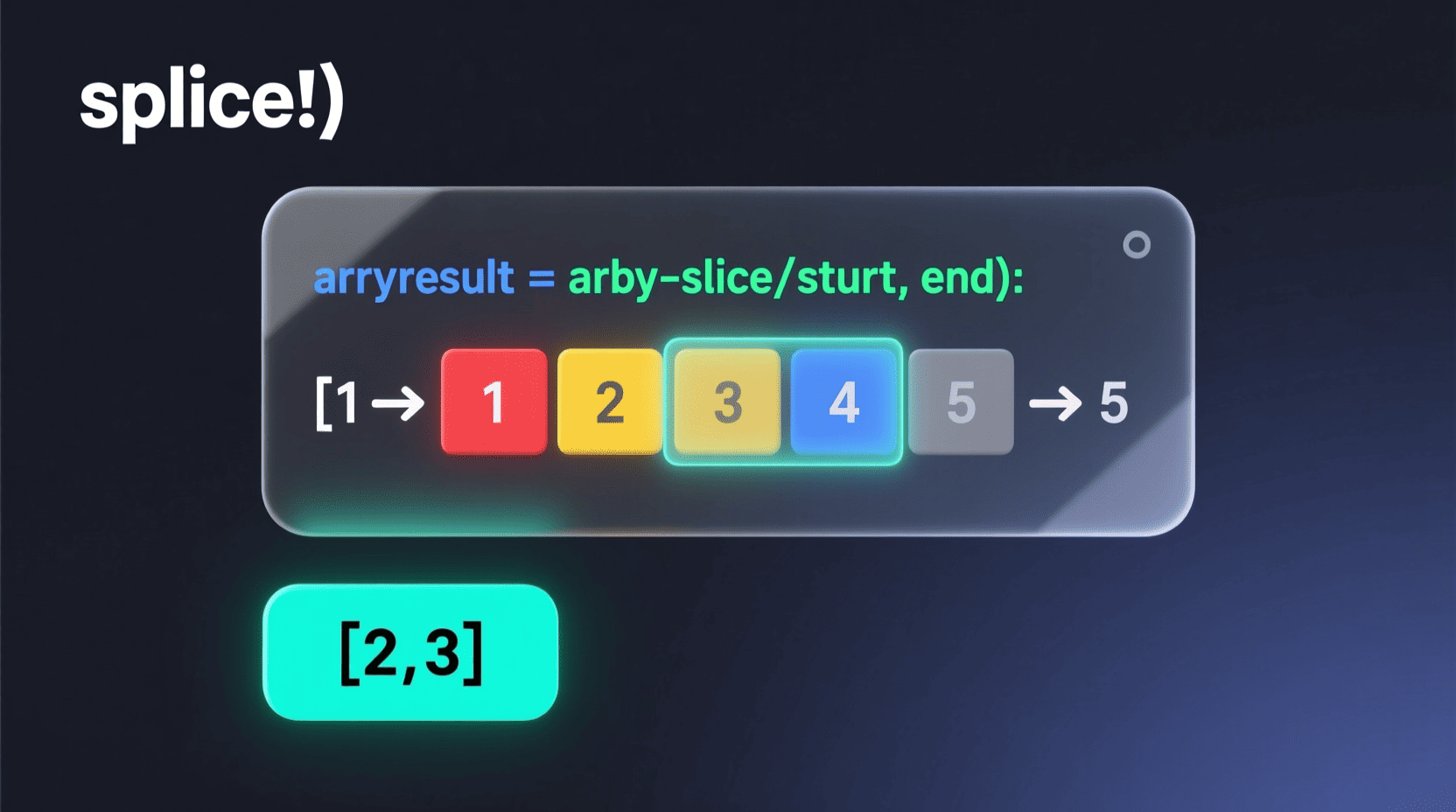
Are you diving into javascript and wondering how to manipulate parts of strings or arrays efficiently? Whether you are a beginner or looking to sharpen your skills, understanding the javascript slice method is a must. This cornerstone function offers an elegant way to extract portions of strings and arrays without mutating the original data.
In this post, we’ll break down everything about javascript slice, with clear, practical examples that beginners and seasoned developers alike will find valuable. By the end, you’ll know exactly how to slice your way to cleaner, more efficient code — a crucial skill for both frontend development and game development for beginners.
Materials & Supplies
To get started with javascript slice, all you need is:
- A modern text editor or IDE (Visual Studio Code, Sublime Text, or even a simple Notepad++)
- A browser with developer tools console (Chrome, Firefox, or Edge)
- Basic familiarity with JavaScript strings and arrays
- Access to any JavaScript playground or local environment to test your code
No third-party plugins are required since javascript slice is a native method available by default in javascript.
Timing / Development Schedule
Learning javascript slice can be quick:
| Timeframe | Activity |
|---|---|
| Day 1 | Understand syntax and parameters |
| Day 2 | Practice slicing with strings |
| Day 3 | Practice slicing with arrays |
| Day 4 | Apply slices in mini-projects (e.g., game UI) |
| Day 5 | Explore error handling and edge cases |
Following this schedule ensures you absorb the concept without feeling overwhelmed, building confidence daily through practice.
Step-by-Step Instructions
- Understand the syntax:
For both strings and arrays:
slice(startIndex, endIndex);
startIndex: The beginning index (inclusive)endIndex(optional): The stopping index (exclusive). If omitted, slices till the end.
- Example with strings:
const str = "Hello World!";
const slicedStr = str.slice(0, 5);
console.log(slicedStr);  // Output: Hello
- Example with arrays:
const arr = [10, 20, 30, 40, 50];
const slicedArr = arr.slice(1, 4);
console.log(slicedArr);  // Output: [20, 30, 40]
- Negative indices:
const str2 = "JavaScript";
console.log(str2.slice(-6));  // Output: Script
This extracts the last six characters from the string.
- Important: The original string or array remains unchanged, making javascript slice a non-destructive method.
Advantages of Learning Game Development
Understanding array and string manipulation, including methods like javascript slice, is foundational in coding game logic and UI updates. For those venturing into game development for beginners, mastering these techniques allows you to:
- Efficiently manage game states and data slices
- Parse player input and commands neatly
- Build responsive user interfaces without heavy memory costs
- Debug smartly with less chance of mistakes like off-by-one errors
Moreover, slicing data seamlessly translates to better performance and readability in your code.
Tips, Alternative Methods, or Development Advice
- For extracting substrings, consider the differences between
.slice(),.substring(), and.substr(). - Arrays have no
.substring()method, so javascript slice is your go-to for non-destructive extraction. - When working with strings, if you want to check if it contains a substring before slicing, check out javascript string contains techniques.
- Remember edge cases: passing endIndex less than startIndex returns an empty string or array.
- Avoid using
.slice()on non-array or non-string types; this will result in a javascript error.
Common Mistakes to Avoid
- Misunderstanding that
.slice()excludes the end index. - Mutating an original array expecting to with
.slice(). It does not mutate. - Passing wrong data types and triggering javascript error.
- Confusing java vs javascript terminology or syntax around slicing data.
Avoiding these pitfalls will save you debugging time and increase your coding efficiency.
Maintenance / Update Tips
Keep your codebase clean by using javascript slice to extract and manipulate data without altering original data sources. This immutable approach simplifies maintenance, especially when multiple developers work on the same project, including large-scale game development.
Always update your knowledge with the latest ECMAScript standards to discover potential improvements or performance optimizations related to slicing methods.
The Best Websites or Tools That Offer This for Free
Here are some excellent free resources to learn and practice javascript slice and other JavaScript fundamentals:
- W3Schools JavaScript Tutorial
- MDN Web Docs – JavaScript String and Array methods
- JavaScript String Contains Techniques
- JavaScript Error Troubleshooting
- Java vs JavaScript
Utilize these platforms to reinforce your understanding and stay up-to-date.
A Brief Explanation for Beginners, Including the Steps Involved
For beginners, think of javascript slice as cutting a piece from a loaf of bread without damaging the rest. You specify the start and end points, and it gives you a fresh piece to work with, leaving the original loaf intact.
Steps to master the slice method:
- Know what data you want to extract from either a string or array.
- Use the indices correctly — start is inclusive, end is exclusive.
- Practice with positive and negative indices.
- Experiment in your browser dev console.
- Combine with other methods like
.indexOf()or.includes()for dynamic slicing.
Conclusion
Mastering javascript slice is an essential building block for any developer aiming to excel in web or game development for beginners. It allows for easy, clean extraction of data pieces without mutating the source — a key practice in writing maintainable JavaScript code.
Whether you’re slicing strings to parse user input or breaking arrays to manage game states, this method is versatile and powerful. Make sure to combine your knowledge with other JavaScript concepts to grow your skills efficiently.
For extended knowledge, dive further into javascript string contains and avoid common javascript error pitfalls — they’re critical when building complex applications.
FAQs
Q1: Can I use .slice() to modify the original string or array?
A1: No, .slice() is non-destructive and returns a new string or array without modifying the original.
Q2: What happens if I use a negative index with .slice()?
A2: Negative indices count from the end of the string or array, making it easy to slice relative to the tail.
Q3: How is .slice() different from .splice()?
A3: .slice() extracts data without changing the original, while .splice() modifies the original array by adding/removing elements.
Q4: Why do I get a javascript error when using .slice()?
A4: This usually happens if you call .slice() on a variable that is not a string or array. Always verify the type before using slice.
Q5: How does java vs javascript compare when slicing data?
A5: Java uses different methods like substring() in strings and lacks a direct slice method for arrays like in javascript. Understanding these differences is key when switching between languages.
Unlock the power of slicing in javascript and elevate your projects today!

KOORUI
KOORUI 24.5 Inch Gaming Monitor 200Hz, 1ms, FHD(1920 * 1080p) IPS Display, HDR400, 90% DCI-P3 Color Gamut with Adaptive Sync, HDMI & DP Port, Black, G2511P

Razer
Razer Basilisk V3 Pro 35K Wireless Gaming Mouse: HyperScroll Tilt Wheel - 35K DPI Optical Sensor Gen 2-13 Customizable Controls - Chroma RGB - Optical Switches Gen 3 - Up to 140 Hr Battery - Black
Make Your First 2D Game in Unity
Want to build your first game but don’t know where to start? This beginner-friendly guide shows you how to create SampleGame2D — a fun Flappy Bird–style project — step by step in Unity. Inside you’ll learn:

Panvola
Panvola Debugging Definition Computer Programmer Student Teacher Geek Coder Tech Support Programming IT Insulated Coffee Mug with Handle and Lid Camping Travel Thermal Mugs 14 oz Black