
Licensing and Attribution for Free 2D Sprites
In the world of game development, utilizing free 2D sprites can significantly reduce production costs while enhancing creativity. However, understanding the licensing and attribution requirements attached to these assets is crucial. This guide will provide you with a comprehensive overview of the different types of licenses, how to properly attribute creators, and best practices to follow.
Understanding Licensing
Licensing is a legal framework that defines how you can use a particular asset, including free 2D sprites. There are several types of licenses you might encounter:
1. Public Domain
Assets in the public domain can be freely used by anyone without permission or attribution. However, it’s essential to verify the source to ensure that the asset is genuinely in the public domain.
2. Creative Commons Licenses
Creative Commons (CC) licenses are popular for free assets. Here are a few common types:
- CC0: No rights reserved; can be used freely without attribution.
- CC BY: Requires attribution to the original creator.
- CC BY-SA: Requires attribution and share-alike, meaning derivatives must be licensed under the same terms.
3. Proprietary Licenses
Some free sprites come with proprietary licenses, which may impose restrictions on commercial use or require specific attribution formats. Always read the terms before using these assets.
Attribution Best Practices
Proper attribution is essential when using assets that require it. Here’s how to do it effectively:
1. Check the License Requirements
Before you start using a sprite, check the license it falls under. This will inform you whether attribution is required and how it should be formatted.
2. Include Attribution in Your Game
Attribution can be included in various locations, such as:
- Game credits screen
- About section of the game
- Website or promotional materials for the game
3. Use a Standard Format
When attributing, use a clear and consistent format. A common structure includes:
| Element | Example |
|---|---|
| Sprite Name | “Zombie Sprite” |
| Creator Name | “John Doe” |
| License Type | “CC BY 4.0” |
| Source Link | http://example.com |
Step-by-Step Guide to Using Free 2D Sprites
To help you get started, here’s a step-by-step guide to using free 2D sprites legally and ethically:
- Search for Sprites: Use reputable websites like OpenGameArt or Itch.io to find free sprites.
- Review License Information: Before downloading, carefully read the license details to understand usage rights.
- Download Sprites: Download the assets and keep a record of their source and license.
- Attribution: Decide where you will provide attribution in your game.
- Implement Sprites: Integrate the sprites into your game, ensuring they enhance gameplay and visuals.
- Test and Publish: Test your game thoroughly to ensure everything works as intended before publishing.
Common Mistakes to Avoid
When working with free 2D sprites, here are some common pitfalls to avoid:
- Ignoring License Requirements: Failing to adhere to license terms can lead to legal issues.
- Inadequate Attribution: Providing insufficient or incorrect attribution can discredit the original creator.
- Using Sprites Without Verification: Always verify the sprite’s source and license to avoid copyright infringement.
Resources for Finding Free 2D Sprites
Here are some excellent resources where you can find free 2D sprites with clear licensing information:
- OpenGameArt – A vast repository of free game art.
- Itch.io – Game developers often share free assets here.
- Kenney.nl – Offers a collection of free game assets.
- CraftPix – Features both free and premium sprites.
Conclusion
Understanding licensing and proper attribution is vital when using free 2D sprites in your game development projects. By following the guidelines outlined in this article, you can ensure that you use these assets ethically and legally. Remember to always respect the creators’ rights and give credit where it’s due. Happy game developing!
interface sounds OGG
interface sounds, UI sound effects, UX sound effects, game UI sounds, mobile UI audio, notification sound effects, button click SFX, menu sounds, toggle switch sounds, error alert sounds
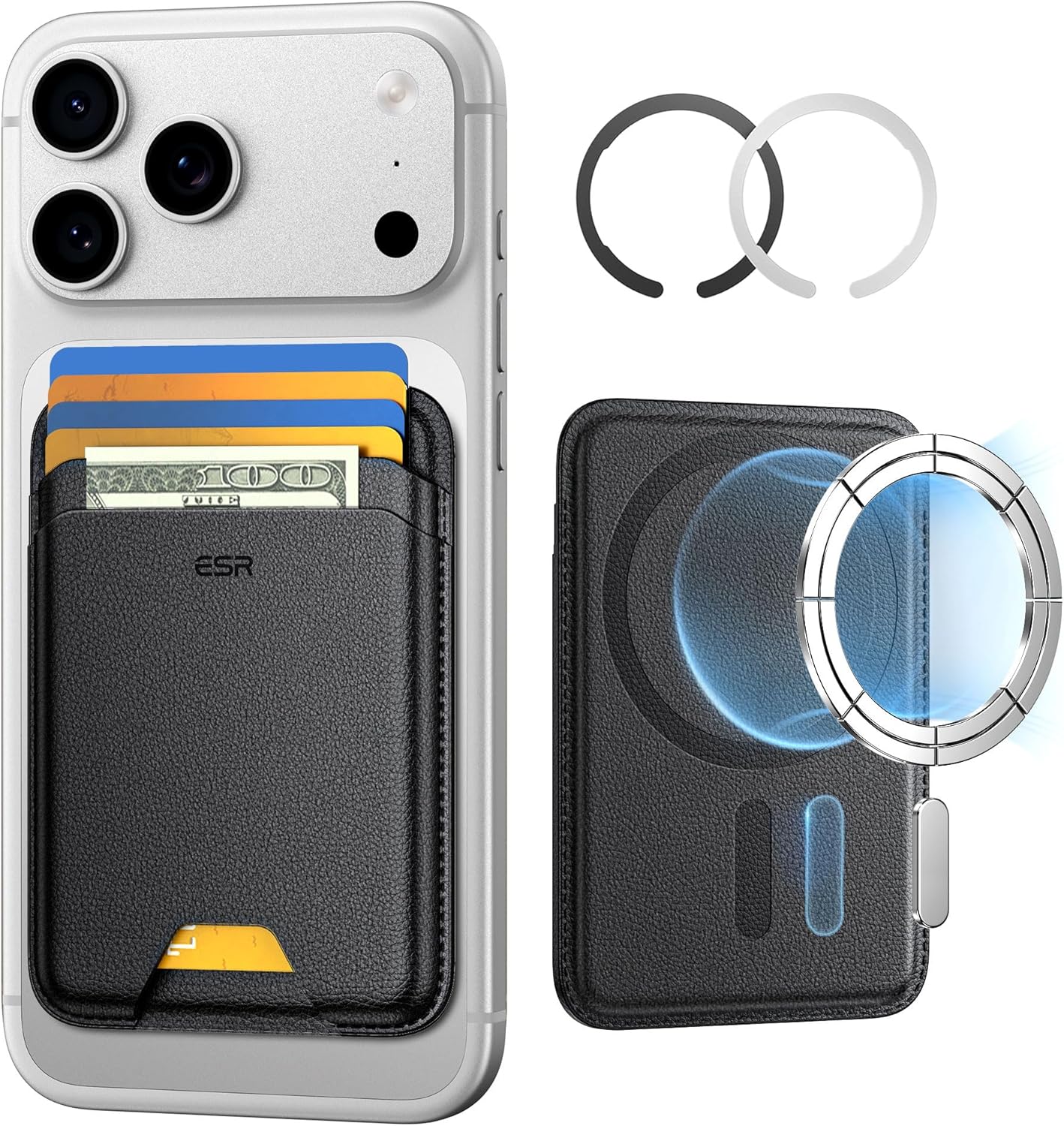
ESR for MagSafe Wallet
ESR for MagSafe Wallet, 5-Card Holder With RFID Blocking, MagSafe Sticker Included, Slim Magnetic Wallet for iPhone 17/16/15/14/13/12 Series and Selected Samsung Devices, Not for 13/12 Mini, Black
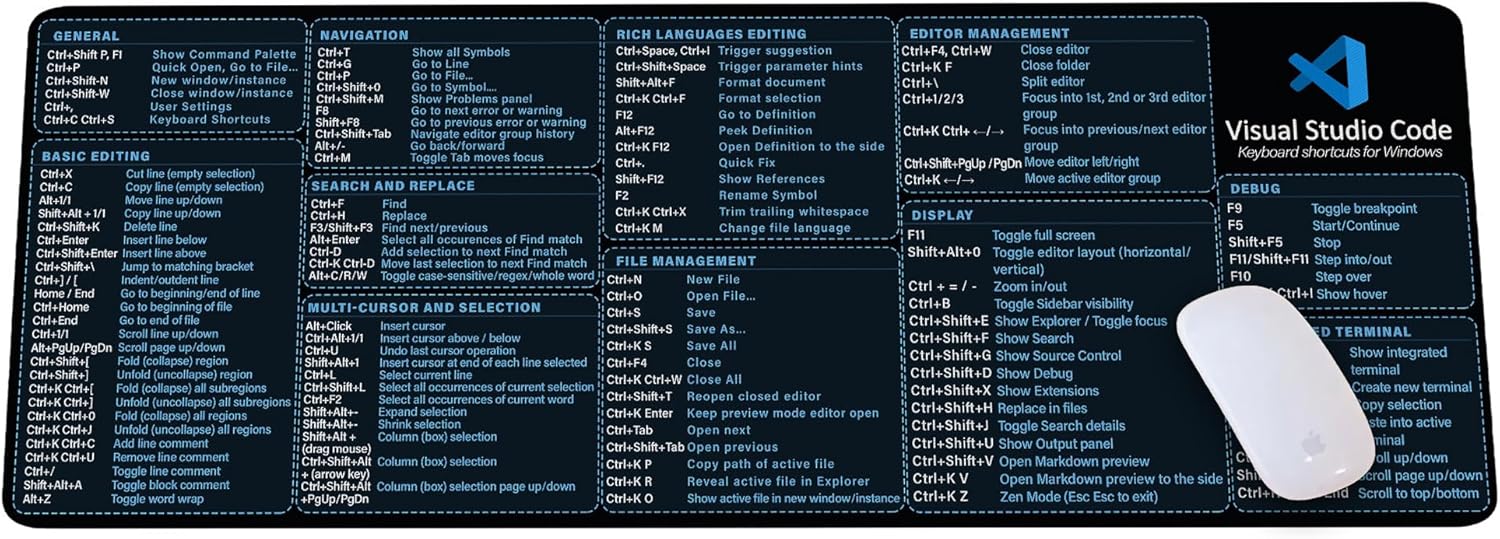
Visual Studio Code Shortcuts Mouse Pad
Visual Studio Code Shortcuts Mouse Pad – Desk Mat for Programmers, Coders & Beginners, Great Office Gift for Developers & Tech Enthusiasts, Computer Accessory for Study, Work, and Learning KMH